Working product demonstration
Watch the HVAC AI receptionist demonstration.
The recording and screenshots show an example build with demonstration data. Use the screen captions below to see what the sample illustrates; your call rules and connected tools need their own review.
Demonstration This example uses a demonstration business and data, not a customer account or customer recording.
What to look for
The call is part of a wider workflow
This demonstration pairs a voice-agent example with screens for call activity and service appointments. The screenshots below show the example operations view; the exact questions, available actions, and integrations are configured for each business.
Demo screens
- Call and operations overview
- Service appointment workflow
- Business and customer details
- Configured call outcomes
Product screens
See the HVAC operations view
These screens belong to the demonstration build and use demonstration data.
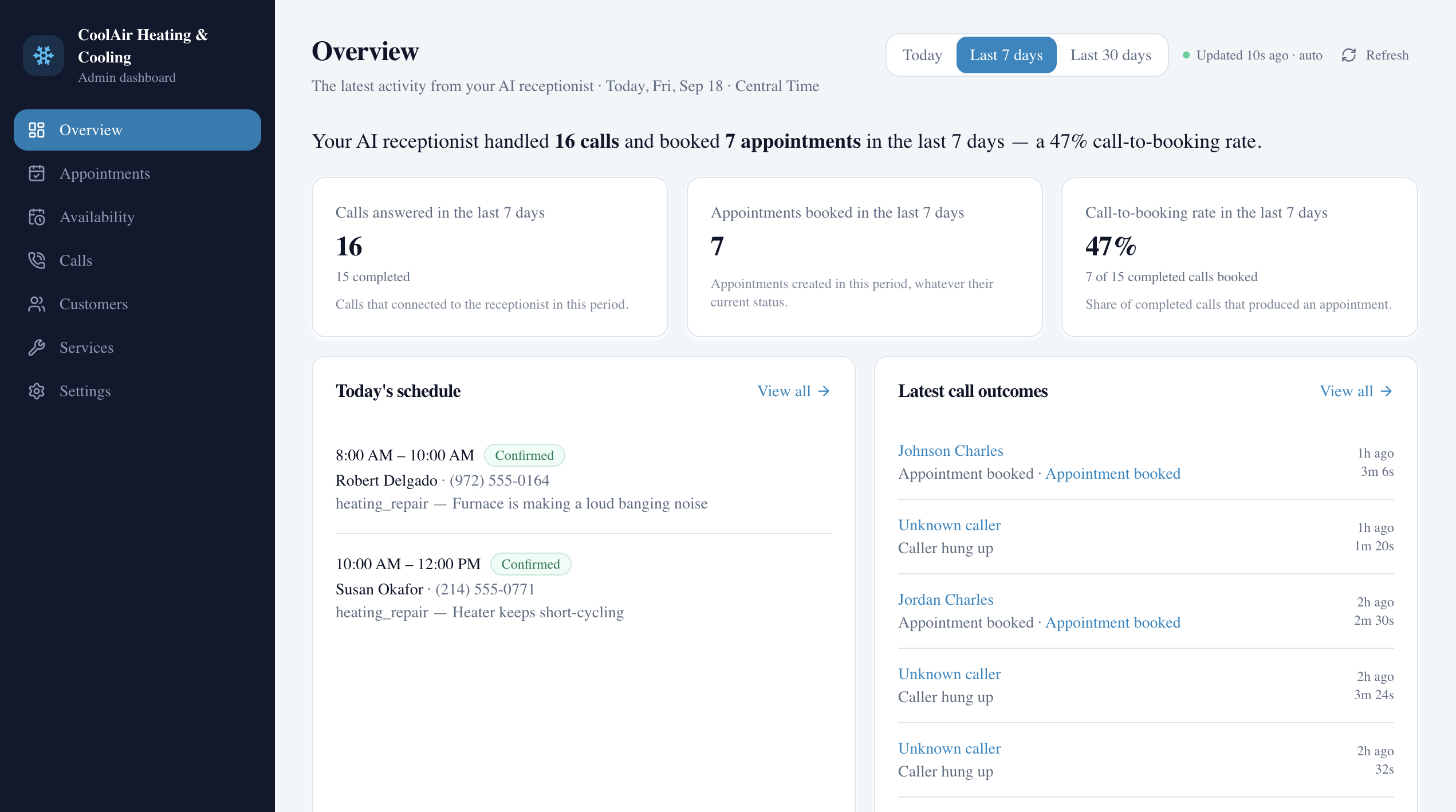
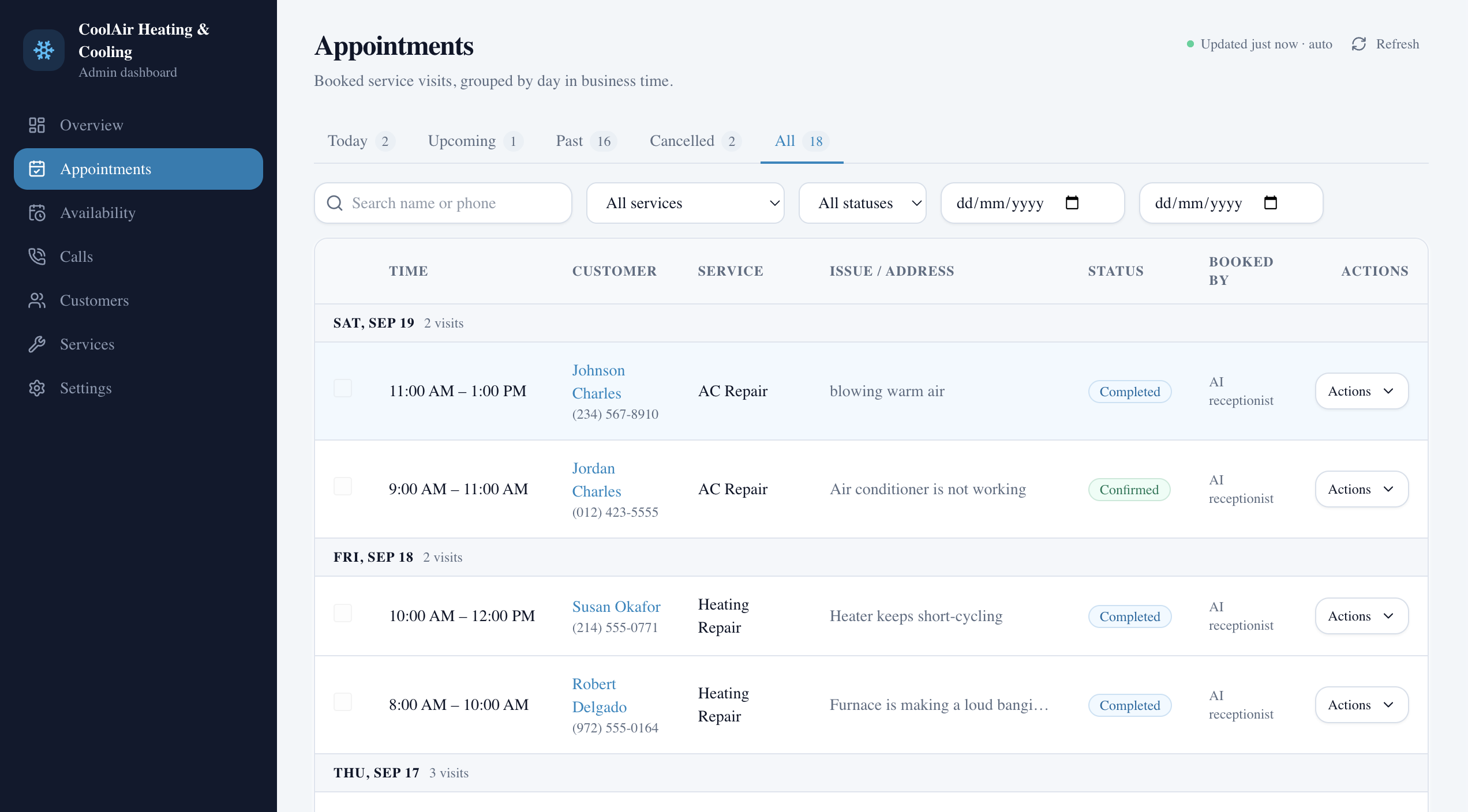
This is a working demonstration, not a customer case study or a claim about customer results.
Your business has its own workflow
Talk through the calls you want to handle
We can review your phone setup, booking needs, business rules, and available integrations.